
Manage GitLab Runners on Hetzner effortlessly
Scale your GitLab CI on Hetzner with total precision. Instant deployment, automated scaling, and intelligent cost-optimization all in one place.
Integration with well-known brands
Maximize your CI/CD efficiency by integrating our Manager with GitLab and Hetzner. Seamlessly trigger GitLab jobs on high-performance Hetzner Cloud instances, ensuring lightning-fast builds while leveraging Hetzner's cost-effective infrastructure to reduce your monthly spend by 80%.
Designed for every team
Whether you're a solo developer or managing CI for hundreds of engineers, Manage Runners has you covered.
Create runners quickly
Spin up fresh GitLab runners in seconds using a simple UI. No manual SSH sessions, no complex configuration files. Just fill in a form and your runner is live.
Duplicate runners
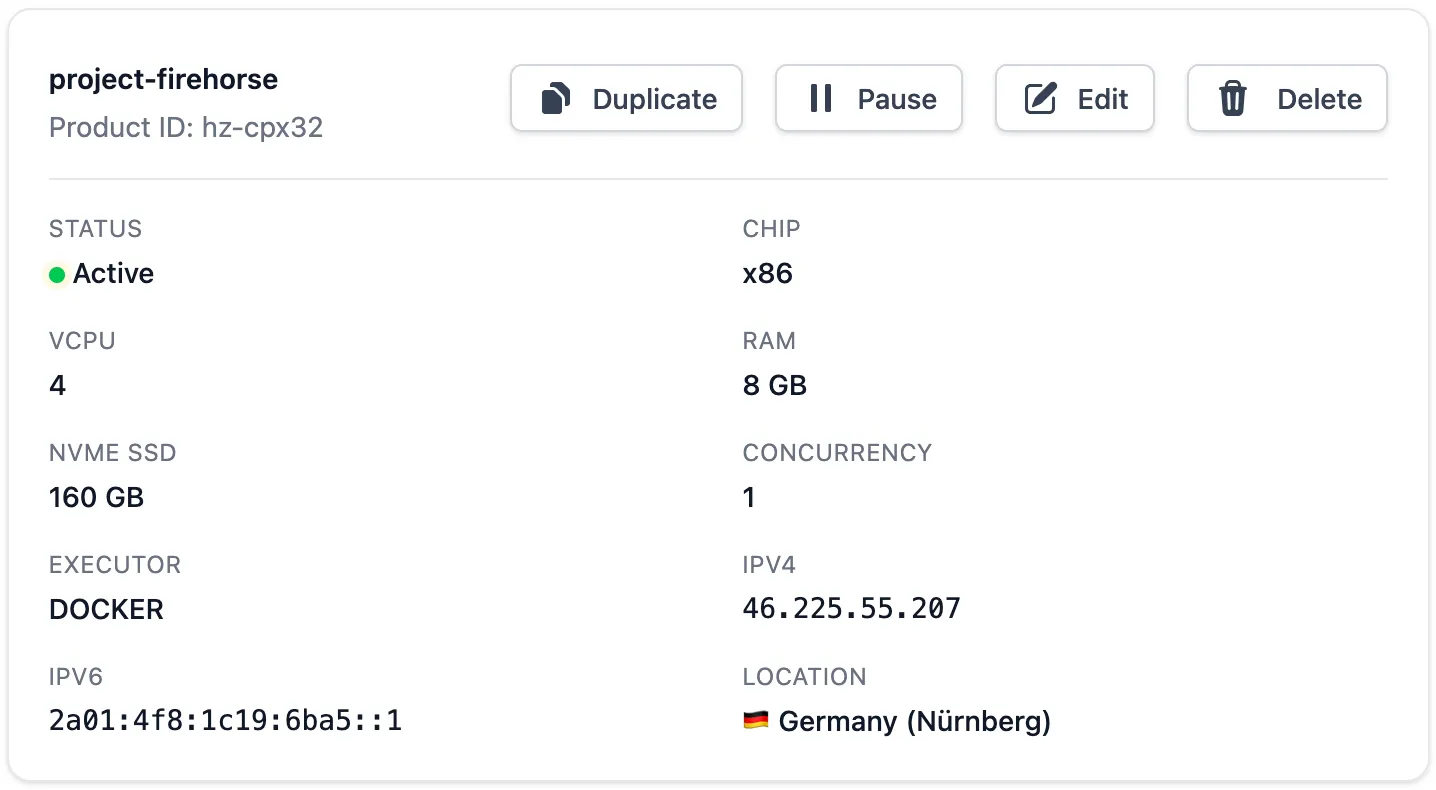
Instantly replicate any of your runners with one click, maintaining the same configuration and GitLab runner token. Perfect for scaling horizontally during peak demand.
Cost-efficient scheduling
Set up intelligent schedules to start and stop runners based on business hours, saving you money on weekends and after-hours. Reduce costs by 80% without sacrificing performance.
Optimized for Hetzner
Fine-tuned for Hetzner Cloud's full lineup: CX, CPX, CAX, CCX — choose from Intel, AMD, or ARM CPUs in any size, across all supported locations. Pair with Hetzner Firewalls for security.
Updated by default
Runners automatically receive OS package updates and GitLab runner service updates. Rest easy knowing your infrastructure is always patched and running the latest stable version.
Static IP address
Every runner gets a persistent, fixed IP address. Even when paused and resumed, the same IP is retained — crucial for allowlisting in Hetzner firewalls or external CI target systems.
3 steps to your first runner
Connect GitLab & Hetzner
Add your GitLab runner registration token and your Hetzner API key. We validate permissions immediately so there are no surprises on first use.
Configure your runner
Pick a server type, location, and optional scheduling. Advanced users can configure firewalls, private networks, and SSH keys — all from the dashboard.
Start building
Your runner registers itself with GitLab automatically. Within seconds, your CI jobs pick it up and start executing. No manual steps required.
What changes with Manage Runners.
Most teams pay for runners around the clock — even when no jobs are running. Here's how we fix that.
SSH into VMs to configure each runner manually — slow, error‑prone, and unrepeatable.
Runners spin up in seconds from a web dashboard. One form, one click, done.
Paying for idle servers 24/7 — no way to pause infrastructure when no jobs are running.
Cost-efficient scheduling shuts runners down during off-hours, cutting bills by up to 80%.
IP addresses change on every restart, breaking firewall rules and allowlists.
Every runner keeps a fixed IP that persists across pause and resume cycles.
Manual OS updates and security patches — easy to forget, risky to skip.
Auto-updates keep packages and the GitLab runner service always patched automatically.
No centralised visibility into runner health, status, or utilisation.
Full runner status and Hetzner cost transparency visible at a glance in one dashboard.
Frequently Asked Questions
Cost: Hetzner’s CPX instances are
a fraction of the cost of managed CI runners. Fixed
monthly rate—no per-minute accumulation.
Performance: Dedicated VMs with
Docker executor and local caches reduce cold starts
and pull times.
Control: Full control over regions,
firewalls, and networks in your own Hetzner account.
It comes down to Fixed vs. Variable pricing. GitLab SaaS and major clouds (AWS/GCP) charge a premium for "on-demand" convenience, often costing $10 per 1,000 minutes. On Hetzner, you rent the entire server for a flat monthly fee (starting at ~$4/month). Since a month has roughly 43,000 minutes, your cost per minute drops from $0.01 to $0.0001. If you run more than 500 minutes of CI/CD per month, the savings cross the 80% threshold immediately. 80% is already an understatement.
If you pause a runner in our dashboard, we will delete the Hetzner server, but keep its IP address. So you won't be charged for the server, but you will still be charged for the IPv4 address.
You won't be able to login to your account, but your runners will continue to run until you delete the VMs in your Hetzner account. Since scheduling is done by Managerunners, they will be no longer automatically started and paused.
Yes, you can! You can block all inbound traffic if you like. Blocking outbound traffic is tricky, because you need to make sure that during runner initialization, the runner can reach the Managerunners API. As soon as your runner is ready, we will not contact the Managerunners API anymore. Also you need to make sure that apt can fetch packages from the internet, and your CI jobs can reach whatever they need to reach.
No. We will only provision the SSH keys from your Hetzner project that you select. No other keys will be deployed.
During initialization of your runner we will call a Managerunners API endpoint to signal the state of you runner, so that you can see the state in your dashboard. Once the runner is "Ready", no more communication takes place.
All mainstream cloud types (CX, CAX, CPX, CCX), meaning both x86 and ARM where available. Not all types are supported in all datacenters, but you can choose all supported locations for each type.
Yes, it works with GitLab.com and self‑managed GitLab. You'll create a runner registration token and off we go.
Ready to take control of your CI?
Join teams who have cut cloud bills and reduced manual ops with Manage Runners.