In the high-velocity engineering world of 2026, the command line interface remains the ultimate tool for precision and power. While modern dashboards provide necessary visibility, advanced developers and SREs know that true diagnostic depth often happens in the terminal. When managing a distributed build fleet on high-performance infrastructure like Hetzner Cloud, understanding the nuances of GitLab runner cli commands is the difference between a stalled pipeline and a 100% uptime release engine.
1. Why the Command Line Interface Still Rules in 2026
Despite the rise of low-code environments, the command line interface (CLI) is the primary language of automation. It allows for scriptable, repeatable actions that a GUI simply cannot match. For power users, the CLI provides:
- Granular Control: Interacting directly with the runner service to verify internal states.
- Rapid Debugging: Executing local builds to replicate pipeline failures instantly.
- Massive Scalability: Piping commands through loops to manage dozens of instances simultaneously.
2. Essential GitLab Runner CLI Commands for Diagnostics
To maintain a healthy CI/CD environment, you need to be fluent in the core GitLab runner cli commands. These are the go-to tools for verifying that your execution environment is configured correctly before it hits the production queue.
Verification and Health Checks:
# Check the status of the runner service
gitlab-runner status

# List all registered runners and their current statuses
gitlab-runner list

# Verify all registered runners against the GitLab coordinator
gitlab-runner verify
Local Execution for Debugging:
One of the most underutilized GitLab runner cli commands is the exec function. This allows you to run a specific job from your .gitlab-ci.yml locally on your machine or server, ensuring your Docker or Shell executor is behaving as expected without waiting for a cloud trigger.
# Execute a specific job locally to test configuration
gitlab-runner exec docker <job_name>
3. Moving from Manual Toil to Orchestrated Automation
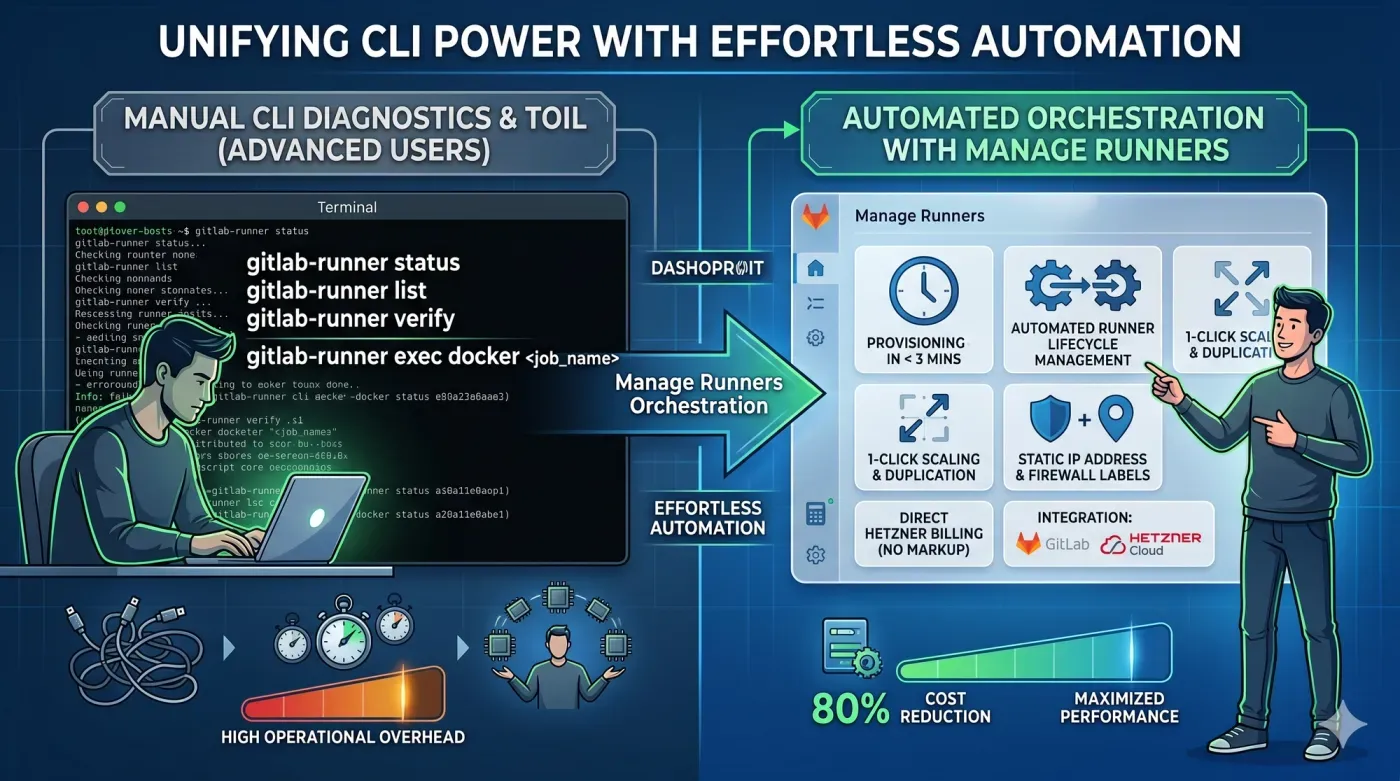
While being a CLI wizard is impressive, manually executing these commands across a fleet of "snowflake" servers is the definition of DevOps toil. In a mature environment, the command line interface should be used for inspection, while an automated control plane handles the orchestration. Manual patching and CLI-based registration are fragile and scale poorly when your team needs to deploy multiple high-performance ARM64 nodes in response to a surge in PRs.
4. Manage Runners: The Pro Choice for Advanced Infrastructure
Manage Runners is the industrial-grade platform designed for developers who appreciate the power of the CLI but demand the efficiency of automation. We bridge the gap between raw Hetzner Cloud performance and effortless runner management.
- Provisioning in < 3 Minutes: Stop manually configuring VMs. Spin up a new runner with predefined executors (Docker, DinD, or Shell) instantly.
- Security & Static Identity: Every runner gets a Static IP address and automated Hetzner Firewall labeling, making secure remote access a standard, not a struggle.
- Privacy-First Architecture: To ensure total GDPR compliance and data security, Manage Runners does not have SSH access to your VMs. You maintain full ownership of the underlying compute.
- 1-Click Scaling: Advanced users love our duplication feature. Clone a complex runner configuration execution specs, tags, and security labels with a single click.
By leveraging Manage Runners on Hetzner Cloud, you eliminate the overhead of manual registration and maintenance. You pay Hetzner directly for the compute resources (maximizing your performance-per-dollar), while we provide the modern, glassmorphism-inspired dashboard to keep your fleet healthy.
5. Conclusion
Mastering the command line interface is essential for any elite DevOps engineer, but your time is too valuable to spend on repetitive runner registration. Combine your knowledge of GitLab runner cli commands with the automation power of Manage Runners to build a faster, more secure, and 80% cheaper CI/CD pipeline.
Ready to stop the maintenance toil and start scaling? [Start your Advanced DevOps journey with Manage Runners ] and experience the future of runner orchestration.